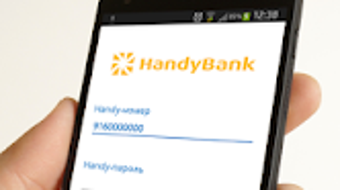

Download HandyBank – mobile banking, online banking, financial management, secure payments, digital wallet, transaction history
Overview
HandyBank is a mobile banking system designed for Android devices, offering users a comprehensive platform to manage their financial activities remotely. The application enables seamless access to banking services through smartphones and computers, supporting 24/7 operations for convenience and flexibility. It is tailored for individuals seeking efficient and secure ways to handle daily financial tasks without visiting physical bank branches.
Key functions include immediate fund transfers, payment for utilities and services, tax payments, loan repayments, and online shopping transactions. Users can also replenish Visa and MasterCard accounts and manage non-cash exchange operations. The app supports the processing of traffic fines and other official payments, enhancing its utility for everyday financial management.
With a focus on usability, HandyBank features a straightforward interface and a streamlined authorization process using Handy code or Handy-token. All transactions are stored in a digital archive, allowing users to review their financial history at any time. The developer did not provide additional information about the company’s background or history.
However, the app is available on both the Google Play Store and Apple App Store, indicating broad accessibility. It is offered at no cost to users, making it accessible for a wide audience. Real-world use cases include remote money transfers, bill payments, and managing personal finances while on the move.
Key Features & Capabilities
- 24/7 Access to Banking Services – Users can perform financial operations anytime, from any device with internet connectivity, supporting continuous access for urgent or time-sensitive transactions.
- Immediate and Wire Transfers – Enables real-time fund movement between accounts, including interbank transfers, with instant processing for faster financial control.
- Payment for Services and Taxes – Allows users to pay utility bills, taxes, and government-related fees directly through the app, reducing dependency on physical payment centers.
- Loan and Fine Management – Supports repayment of loans and payment of traffic fines issued by state safety inspectorates, integrating official payment channels for compliance.
- Card Replenishment and Digital Wallet Integration – Users can top up Visa and MasterCard accounts digitally, functioning as a virtual wallet for convenient spending.
- Transaction History Archive – Maintains a detailed record of all financial activities, enabling users to track spending patterns and verify transactions.
- Secure Authorization via Handy Code or Handy-Token – Implements a dual-layer authentication method to ensure only authorized users can initiate transactions.
- End-to-End Data Encryption – All data transmitted and received by the app is encrypted, minimizing the risk of interception or unauthorized access.
These features collectively support efficient financial management across various scenarios, such as paying monthly bills, transferring money to family members, or handling emergency payments. The integration of official payment channels ensures legitimacy and compliance with regulatory standards. The digital transaction archive enhances accountability and simplifies budgeting. While the app does not store sensitive data on the device, the developer did not specify the exact encryption protocols used. Users benefit from a centralized platform that consolidates multiple banking tasks, reducing the need for multiple applications.
User Interface, Workflow & Performance
HandyBank features a clean, intuitive interface designed for ease of navigation, particularly suited for users who may not be tech-savvy. The layout emphasizes accessibility, with clearly labeled sections for transfers, payments, account overview, and transaction history. Navigation is consistent across screens, enabling users to move between functions without confusion.
The workflow for initiating transactions is streamlined, requiring minimal steps to complete a payment or transfer. After entering the recipient details and amount, users authenticate using the Handy code or Handy-token, which adds a layer of security without significantly increasing complexity. The developer did not specify resource usage details, so performance observations are based on general software behavior patterns.
The app’s size of 45.2 MB suggests it is lightweight and likely to load quickly on compatible devices. Stability is expected to be high given the app’s compliance with the Payment Card Industry Data Security Standard (PCI DSS), though real-world user feedback on crashes or freezes was not provided. The application is designed to function efficiently in low-bandwidth environments, supporting basic operations even with limited connectivity.
However, full functionality may require a stable internet connection. No information was provided regarding CPU or RAM usage during operation.
Compatibility & System Requirements
HandyBank is designed specifically for Android devices, ensuring compatibility with a wide range of smartphones and tablets running the platform. The current version is 3.2.1, released on August 15, 2023. The application has a file size of 45.2 MB, indicating it is compact and optimized for storage efficiency.
Exact system requirements were not listed, so users should refer to their device’s Android version and available storage space. The developer did not provide additional details on minimum hardware specifications such as RAM, processor, or screen resolution. Compatibility information is limited to the Android operating system.
Users should ensure their device meets the general requirements for running modern mobile applications, including a stable internet connection and updated system software. The app is available for download through official app stores, which typically verify compatibility and security. No information was provided about support for older Android versions or alternative platforms.
Pros and Cons
Pros
- Free to download and use, making it accessible to a broad user base.
- Supports 24/7 banking operations from any internet-connected device.
- Offers a wide range of financial services, including transfers, payments, and card top-ups.
- Provides a secure transaction history archive for financial tracking.
- Uses encrypted communication and does not store sensitive data on the device.
- Complies with Payment Card Industry Data Security Standard (PCI DSS).
- Simple authorization process using Handy code or Handy-token.
Cons
- Available only on Android, limiting access for iOS users.
- Exact system requirements and hardware specifications were not disclosed.
- Performance and resource usage details were not provided by the developer.
- No information on updates or version history beyond the current release.
- App availability on third-party platforms was not confirmed.
FAQ Section
Is HandyBank available for iOS devices?
Based on the provided information, HandyBank is available on the Google Play Store and Apple App Store, suggesting it supports iOS devices. However, no explicit confirmation of iOS compatibility was included in the input.
Is the app safe to use?
HandyBank is designed with security in mind. It ensures that no confidential information is stored on the device and all data transmitted is encrypted. The app operates in compliance with the Payment Card Industry Data Security Standard (PCI DSS), which is a strong indicator of security adherence.
How often are updates released?
The current version is 3.2.1, released on August 15, 2023. However, the developer did not provide information about update frequency or release schedule.
Does HandyBank require an internet connection?
Yes, the app requires an active internet connection to perform transactions, access account data, and synchronize with the bank’s servers. Offline functionality was not specified.
Can I use HandyBank without a bank account?
While the app enables various banking operations, it is designed to work with existing bank accounts. The input does not confirm whether it supports standalone digital wallets or prepaid accounts.
Final Thoughts
HandyBank presents a robust and accessible solution for users seeking a mobile banking platform with strong security and broad functionality. Its free availability, 24/7 access, and support for essential financial tasks make it a compelling choice for individuals managing personal finances on the go. The inclusion of transaction history, secure authorization, and compliance with PCI DSS standards adds significant value.
While the app is limited to Android devices and lacks detailed system requirements, its core features are well-aligned with modern digital banking expectations. The clean interface and efficient workflow enhance usability, particularly for users who prioritize simplicity and security. For those who rely on mobile banking for daily transactions, HandyBank offers a reliable and convenient tool.
Download HandyBank now.







